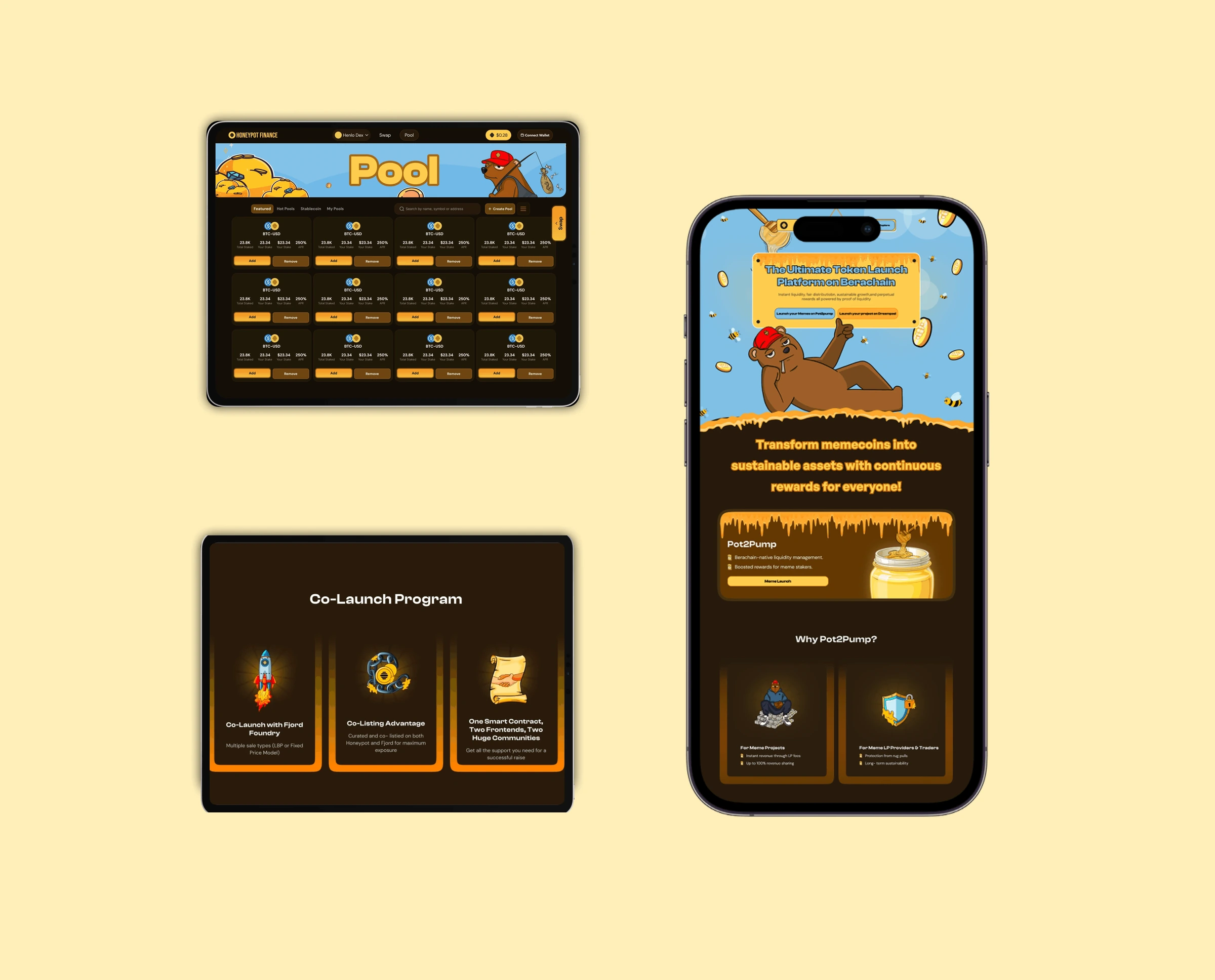
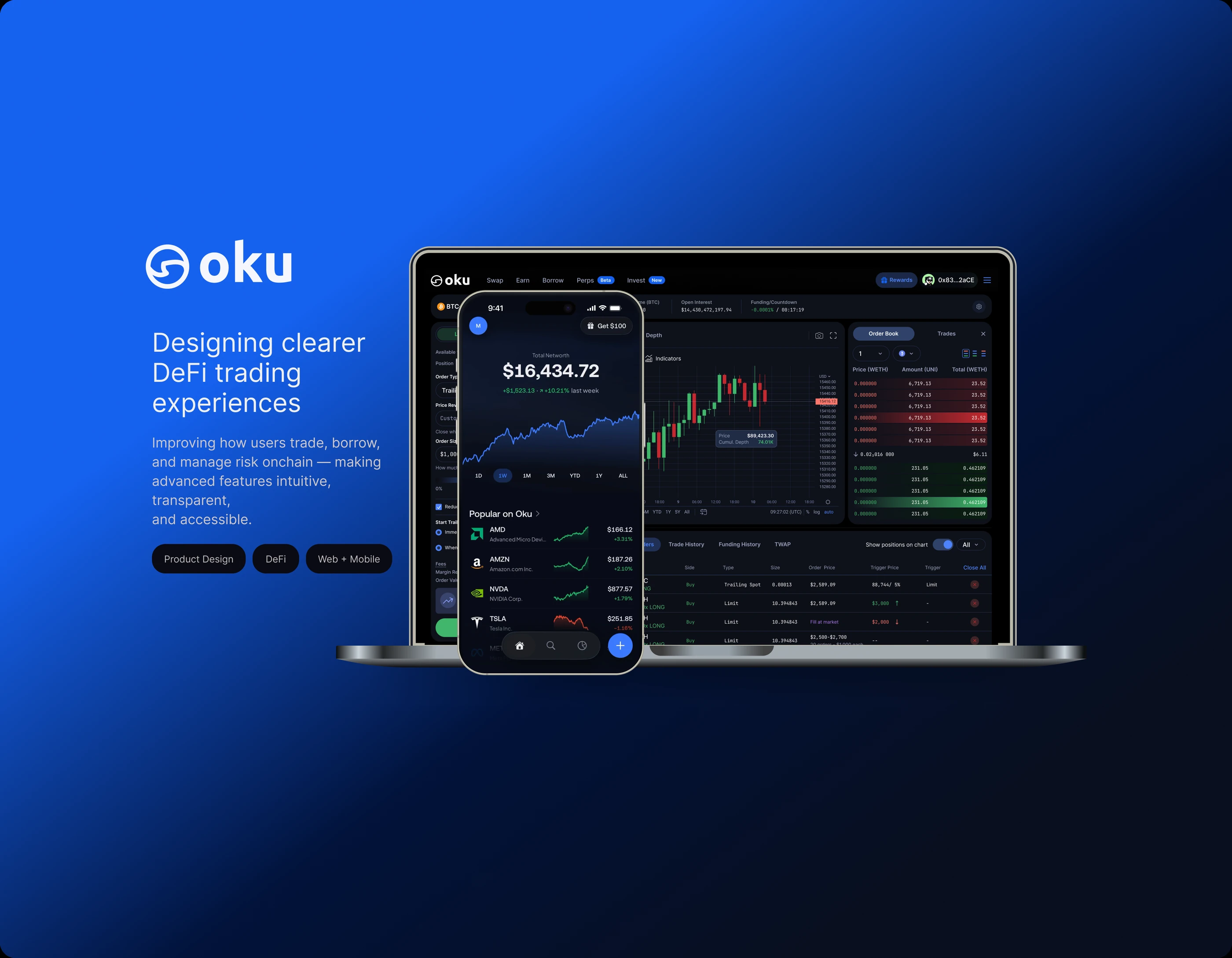
Oku Trade
Borrow on Oku was outdated, data-heavy and hard to scan. I redesigned it, and made looping, one of the most complex moves in DeFi, something you can do in one friendly step.
within 3 months of launching Oku 2.0
The problem
Borrow was incredibly outdated. It was data-heavy, hard to scan, and showed people a lot of information when they didn't need it. Looping wasn't possible at all.
What I did
I redesigned Borrow end to end: a position overview instead of a table, a preview before every action, a history you can actually read, and a Loop toggle that turns borrowing into leverage in one step.
What happened
People can now borrow and swap at the same time and take on bigger positions without it feeling scary. Within 3 months, swaps and borrows were up 30% and support tickets were down 4%.
Oku is a DeFi trading platform for swapping, bridging, lending, borrowing and perps, built for everyday crypto users and experienced traders. I'm one of two product designers working alongside 12 engineers, and I worked across Swap, Bridge, Borrow, Perps, Portfolio and Rewards for Oku 2.0. Borrow was the biggest piece.
Where Borrow started
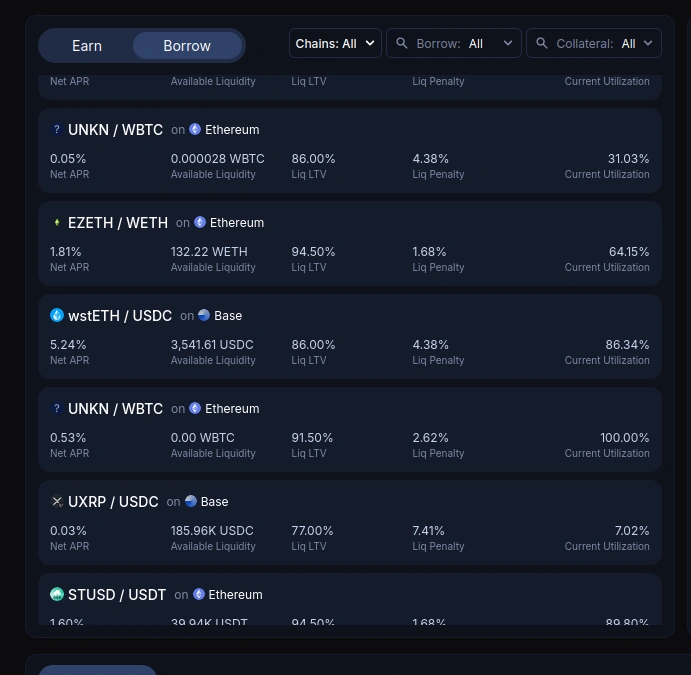
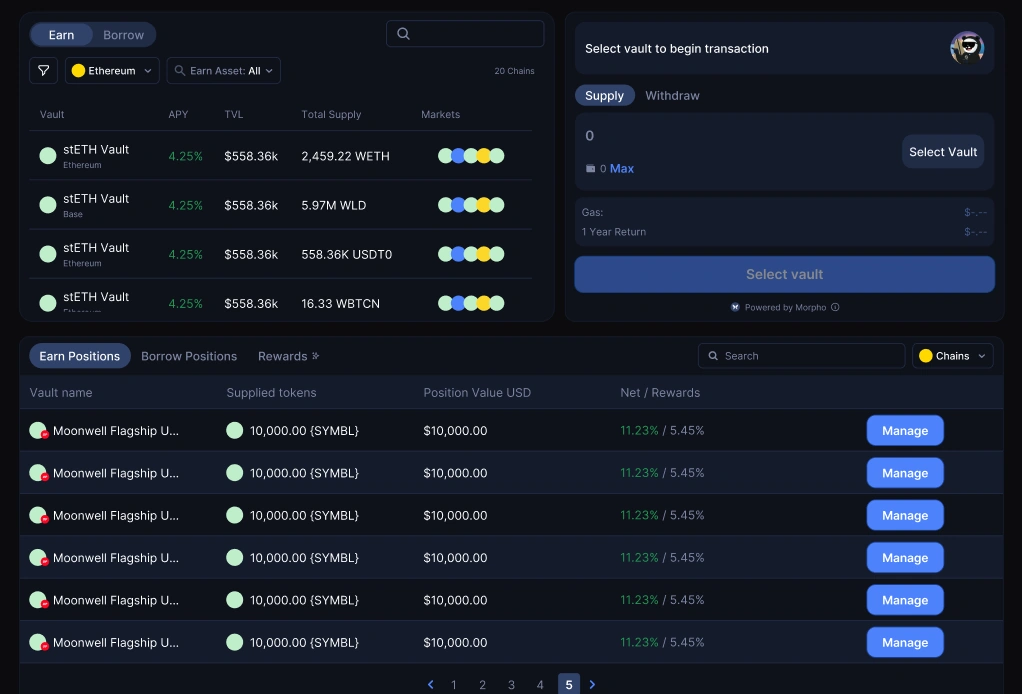
The old Borrow page put everything on screen at once. Every market showed every metric, and positions sat in a table you had to read row by row. People were seeing information at the wrong times, before they needed it, and it was hard to tell what any of it meant for their money.
The hard part: looping
Looping means borrowing, swapping what you borrowed into more collateral, and re-supplying it, so you end up with a bigger position. The protocols we use weren't built for that, so it took real work from the team to make it possible at all.
My job was to bring it into the product in a way that felt subtle and friendly. The tricky part was leverage. It's the whole point of looping, and I didn't know at first where it should live.
So I mapped the flow step by step and asked, for every piece of information, does the person need this right now? I tested the flow over and over to flag every bit of friction and tension, and I looked closely at how competing apps handle looping so I knew what to do better.
Four decisions that shaped it
Put looping where people already borrow
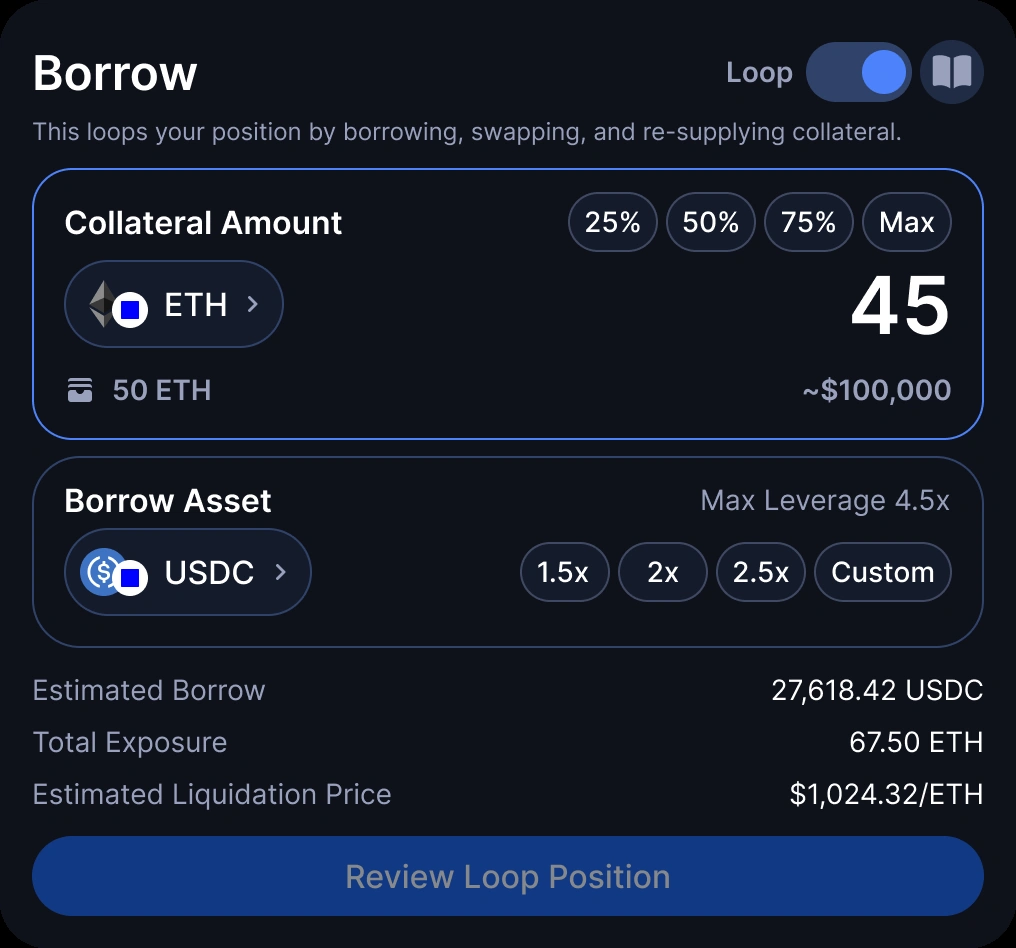
Instead of a separate page, looping is a toggle on the Borrow card. Turn it on and one line explains what happens: it loops your position by borrowing, swapping and re-supplying collateral.
Leverage became one clean control: 1.5x, 2x, 2.5x or custom, with the max shown up front. Estimated borrow, total exposure and liquidation price update live as you change it, so you see the result before you commit.
Show the risk before you commit
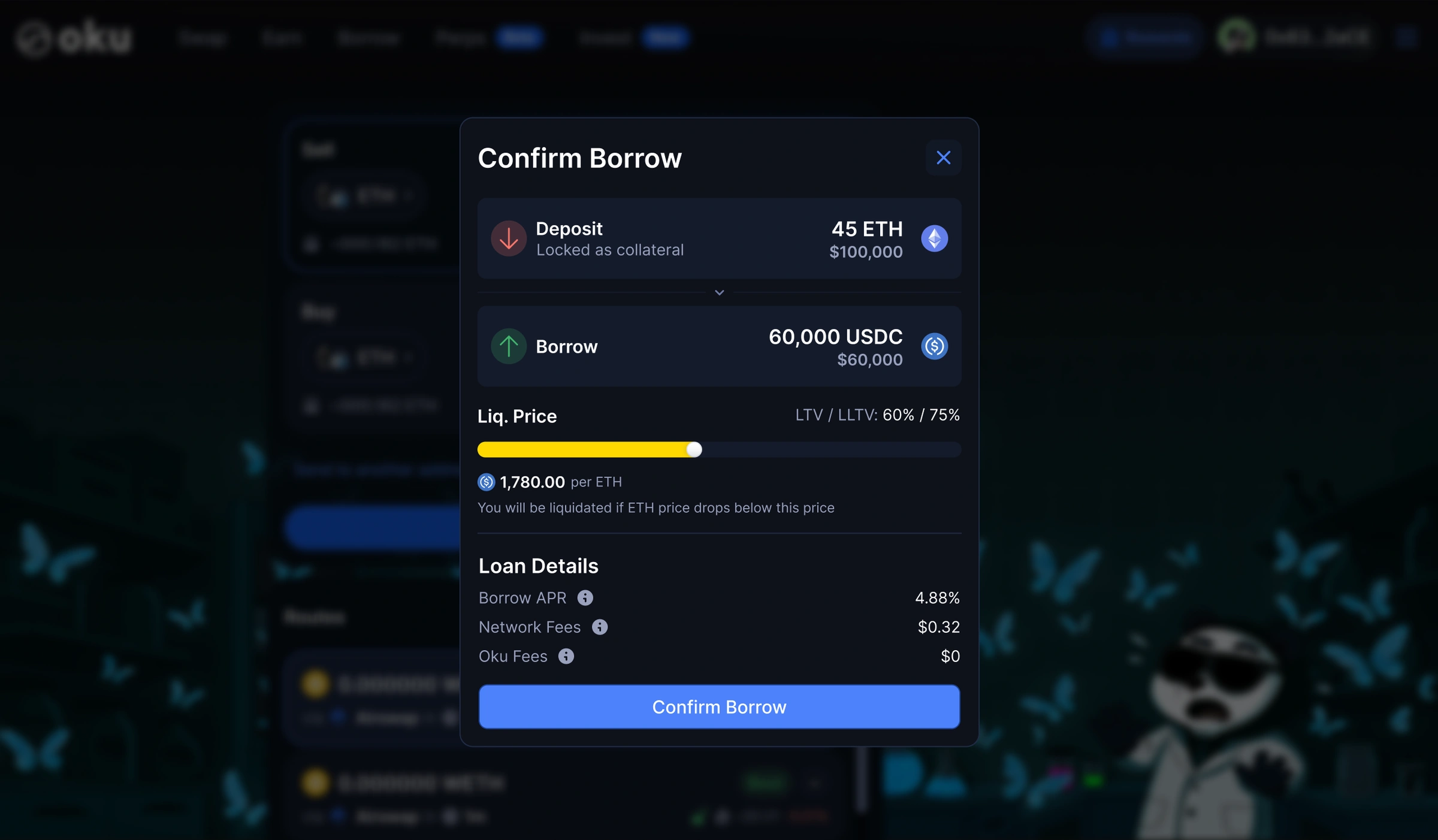
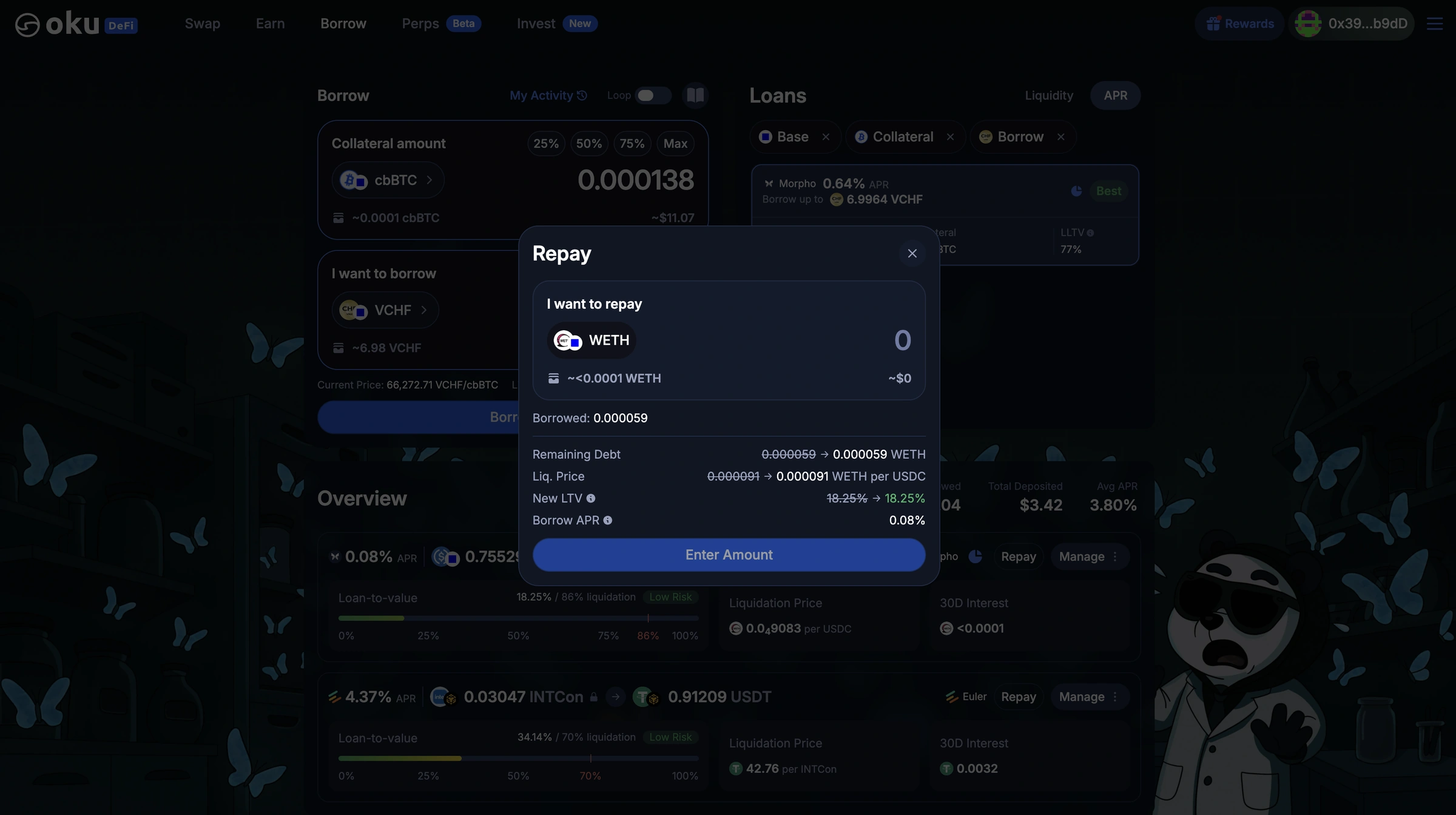
Every action that changes your position shows you what will happen first. Confirm Borrow puts the liquidation price front and centre, in plain words: you'll be liquidated if the price drops below this. Repay shows your debt, liquidation price and LTV before and after.
Turn the table into an overview
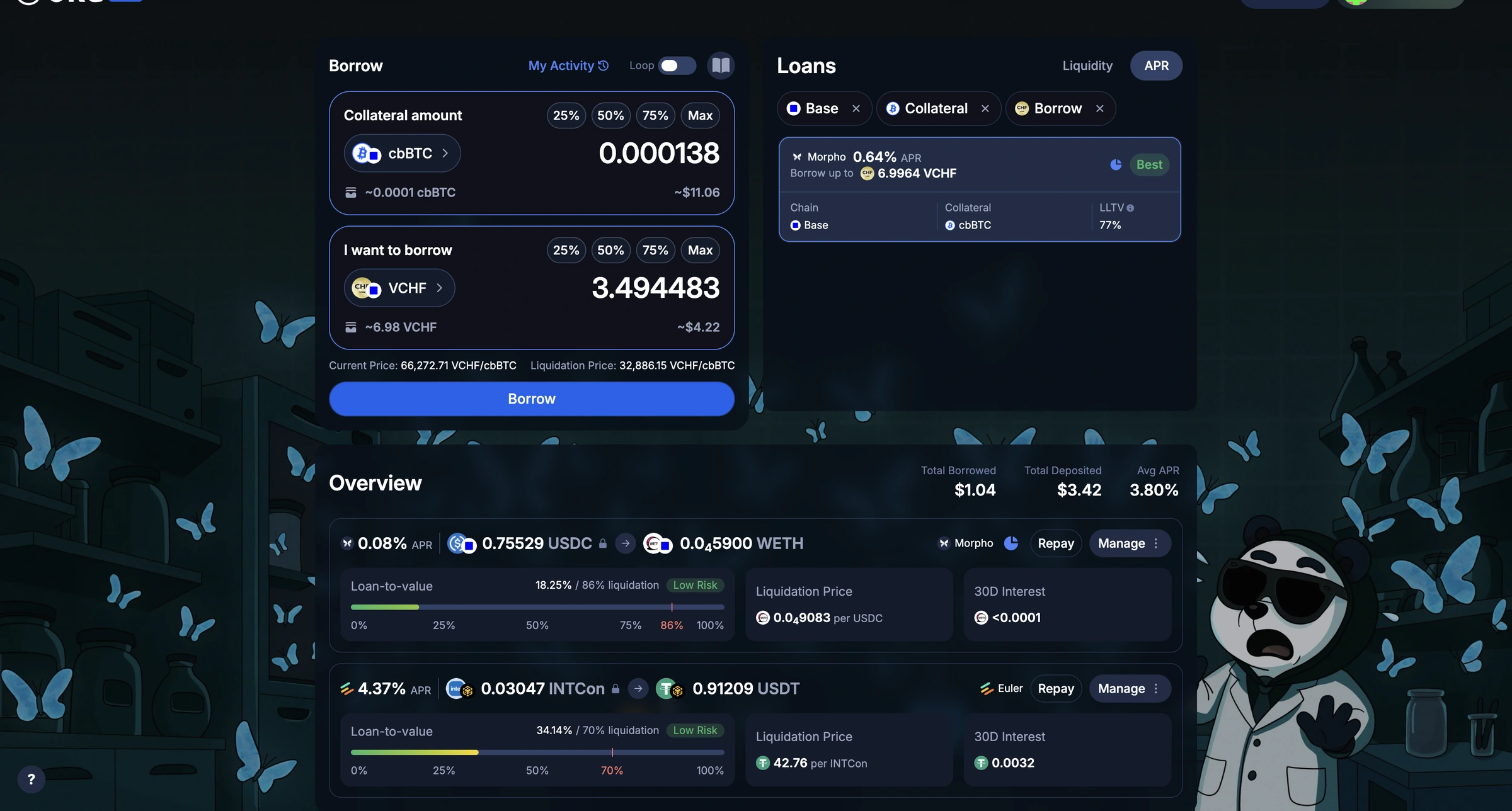
The positions table became a position overview. Each loan is its own card with a loan-to-value bar marked at the liquidation point, a risk label, and the liquidation price and 30-day interest right beside it. You can tell how a loan is doing without reading a single row.
A history you can read in seconds
Borrow activity used to live in a dense table. I wanted every action to be understandable at a glance, so I took it through three versions. These were the questions I kept asking.
- 1
Do users need protocol and chain details immediately?
I weighed adding the chain and protocol to every activity card, and decided to show only the most concise, expected information. Protocol and chain now appear where they add meaning, like on a liquidation.
- 2
How can each transaction be understood within seconds?
Each card leads with what happened: the action and amount together, then the pair, the value, and a dated link to the transaction.
- 3
How do five different actions stay consistent?
Every action uses the same card: an icon, action and amount, pair, value and date. A liquidation keeps that shape and expands to show what was seized, cleared and returned.
How it got there
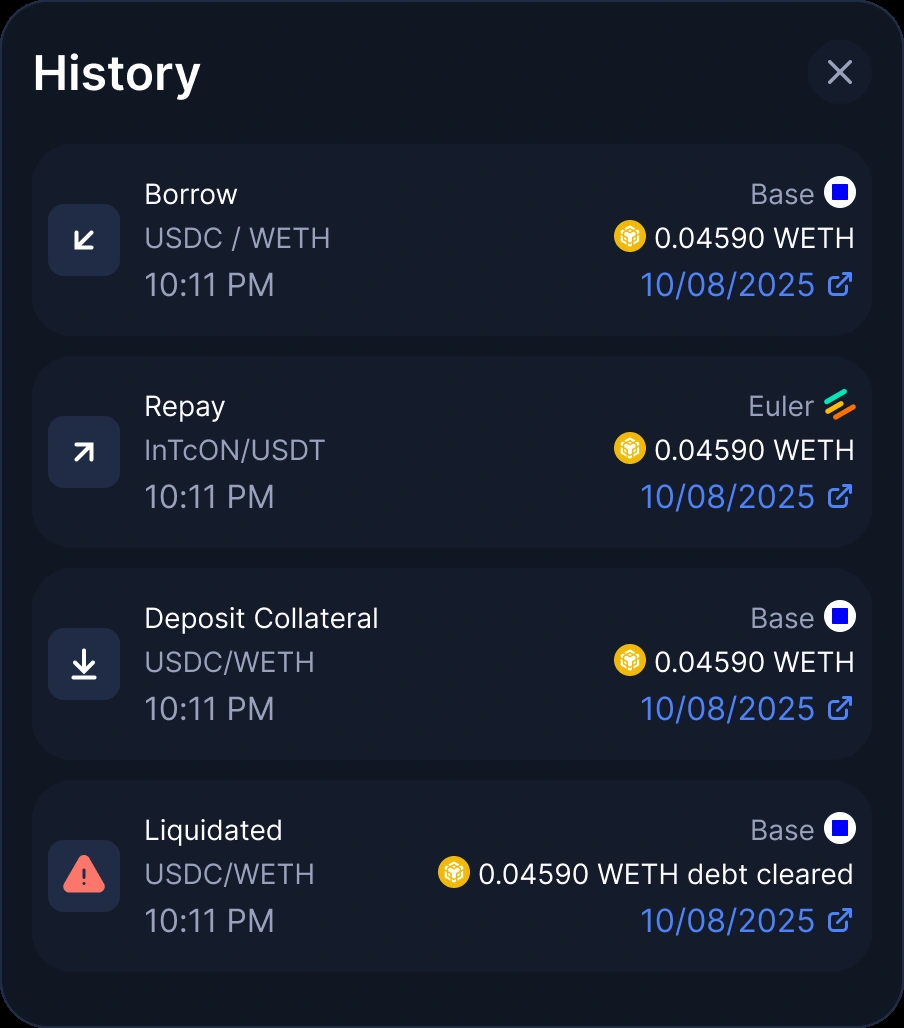
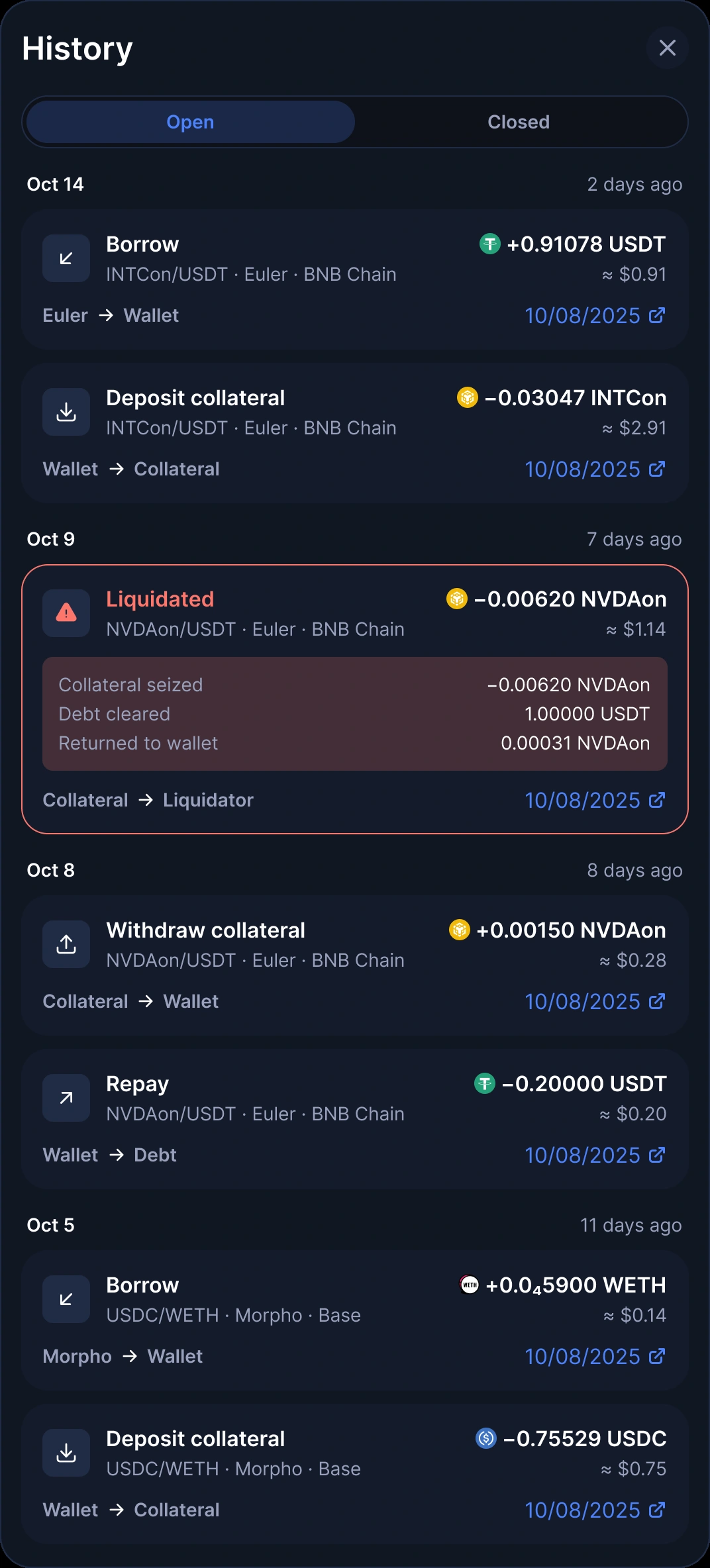
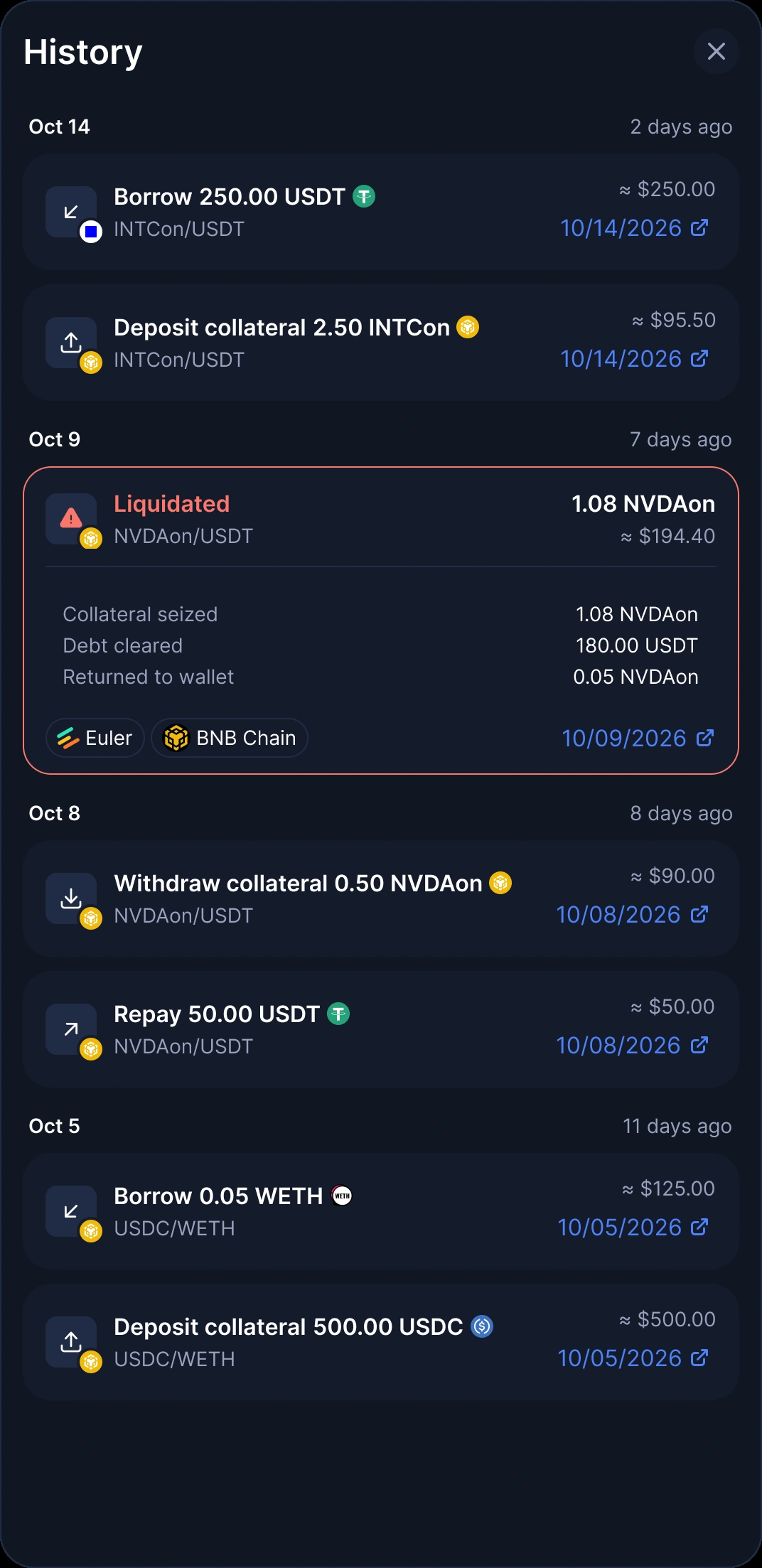
Five actions, one card
- Borrow
- Repay
- Deposit collateral
- Withdraw collateral
- Liquidated
Action + amount→Pair→Value→Date + link
What changed
People can borrow and swap at the same time and take on larger exposure, in a UI that stays simple and clean. Expectations are clear at every step, and it feels friendly and digestible rather than intimidating.
What I learned
Design has to be digestible for every user, not built for either new or advanced traders.
Communicating the UX and the vision clearly is everything when you're working with engineers on something this complex.
Next time, I'd research what people who loop expect much earlier in the process.
Also on Oku 2.0
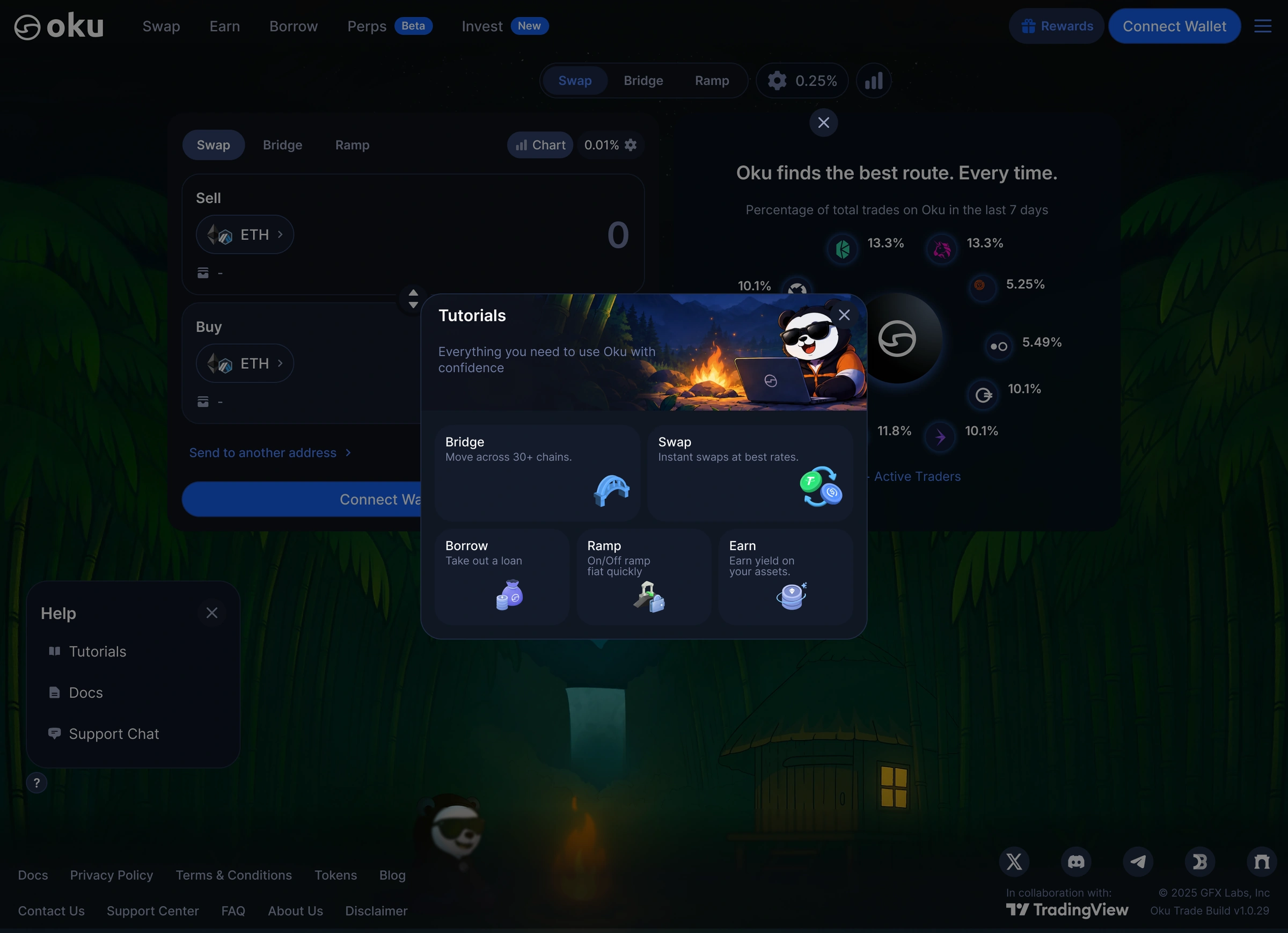
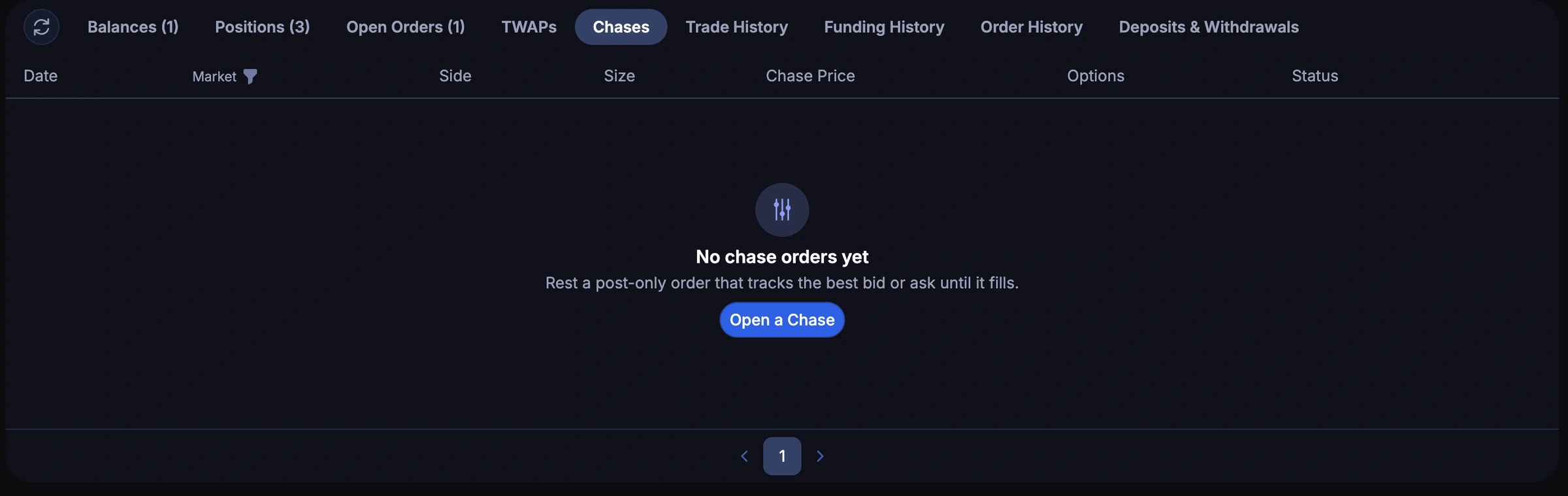
Borrow was the biggest piece, but I worked across the whole redesign. A few highlights.
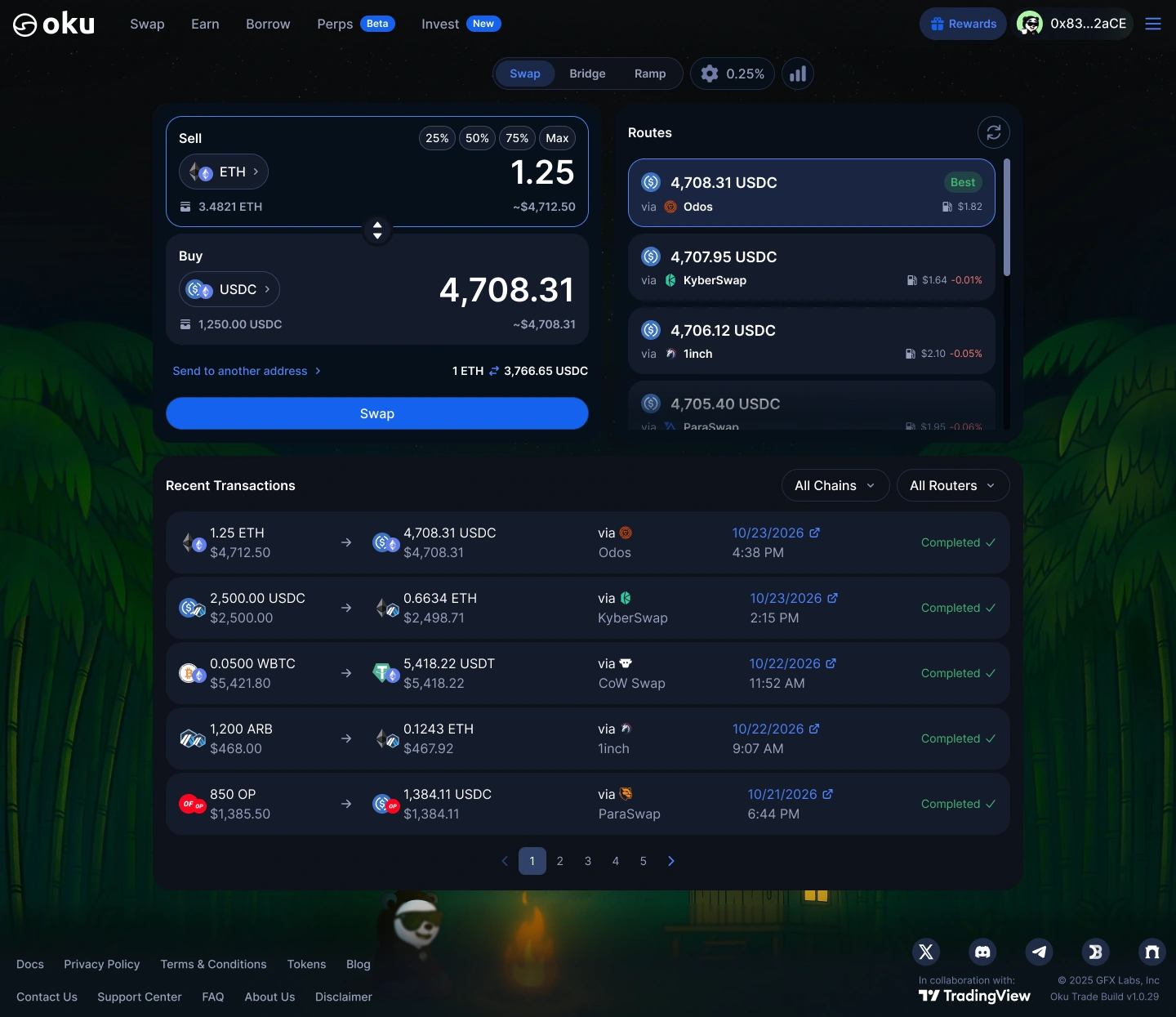
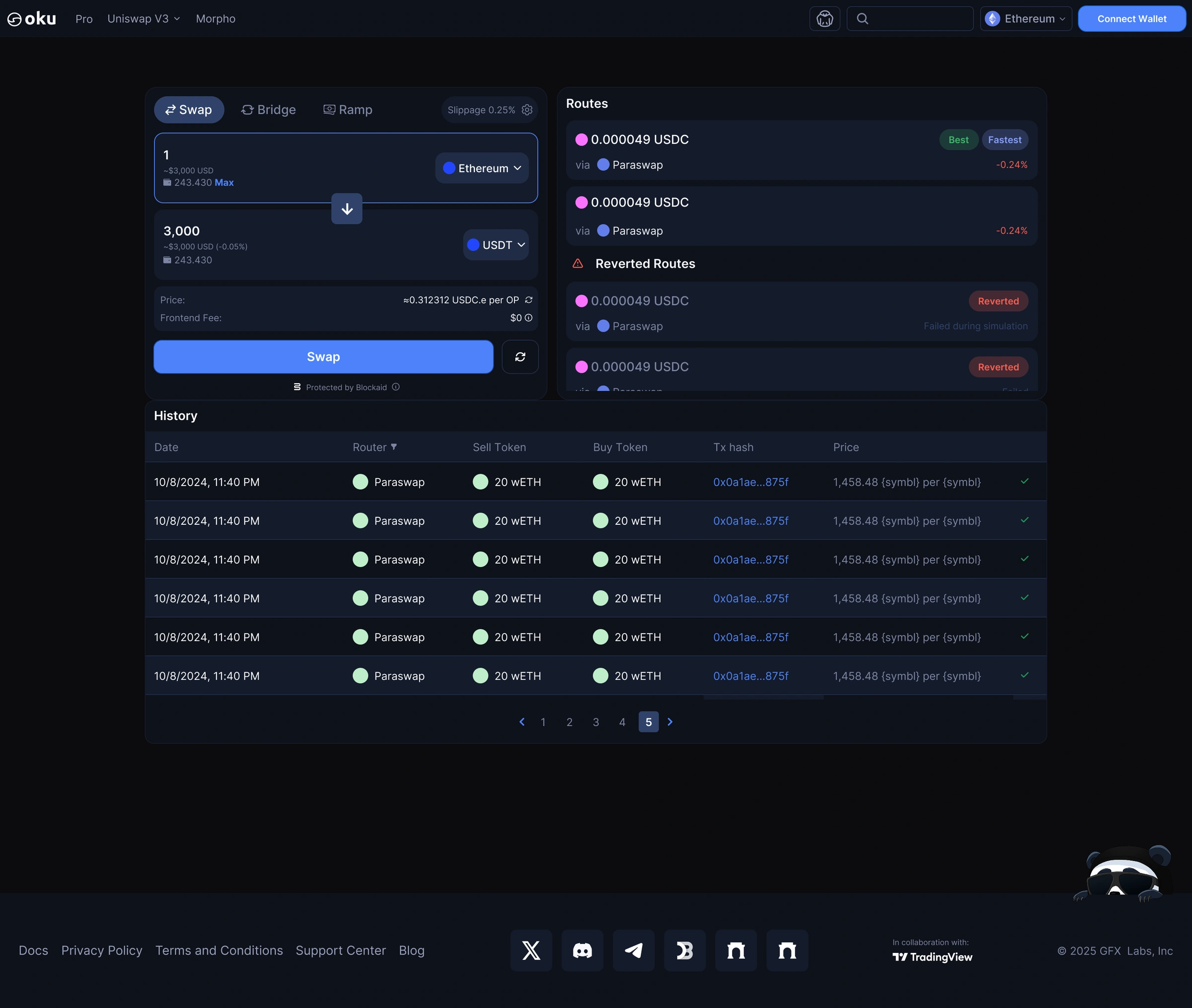
Swap, 1.0 against 2.0. Drag to compare.
How I work
I don't stop at mock-ups. I prototype in code and ship through the same workflow as the engineers, which makes handoff a conversation instead of a spec.
- FigmaDesigns, flows and a file organised so anyone can find what's live.
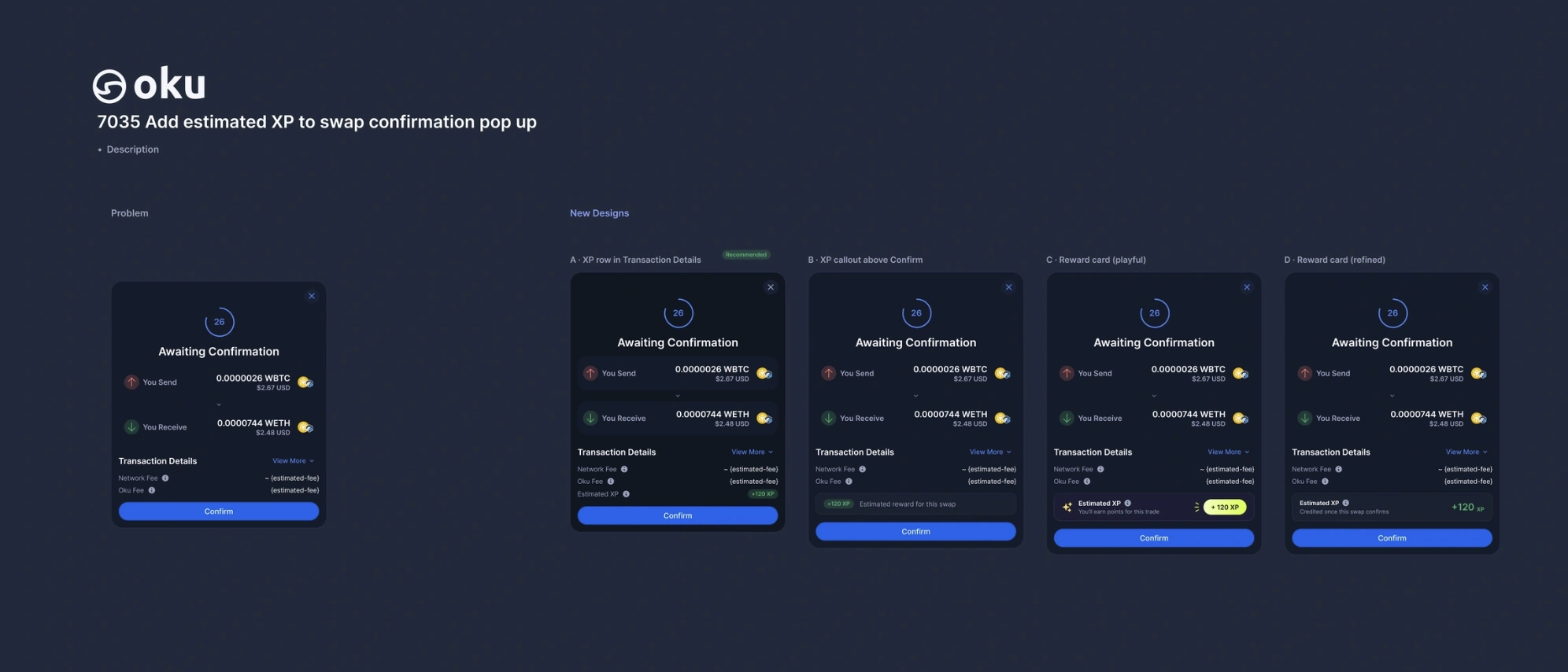
- LinearEvery piece of work starts as a ticket, like the XP options above.
- ClaudeSpecs, copy, motion timing, research, and help prototyping.
- CursorWhere I build working prototypes of my designs.
- GitHubI branch off master, build on my own branch, push PRs, get feedback and merge.
Plus Xcode on the mobile app.
What's next: Oku mobile
I'm now designing Oku's mobile app, which lets people trade the world's biggest stocks from anywhere. This work is still in iteration, so it shows how I'm thinking rather than a finished result.
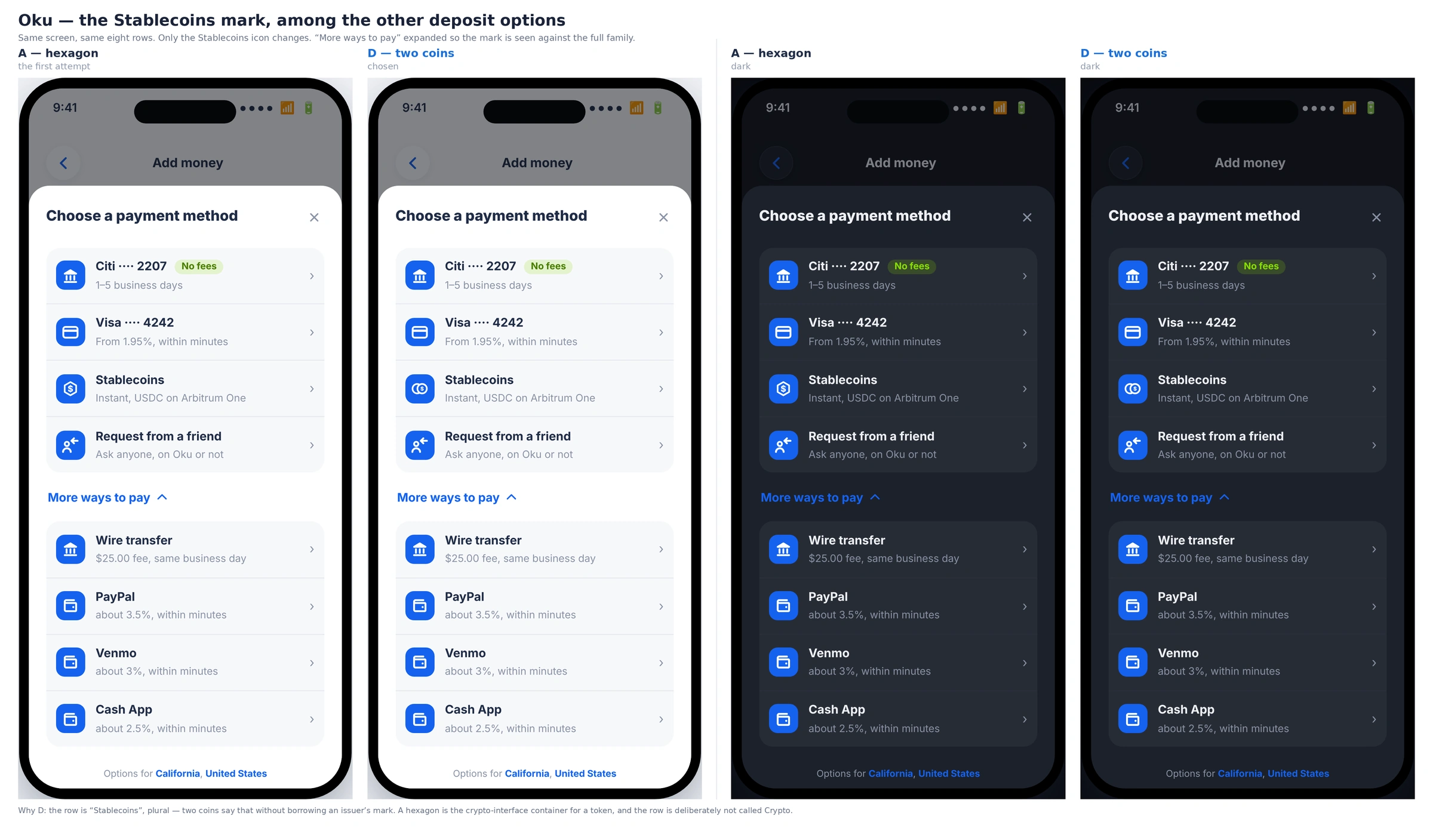
Choosing the Stablecoins mark
The same eight payment rows, with only the Stablecoins icon changing, so the mark is judged against the whole family. I chose two coins over a hexagon: the row says "Stablecoins", plural, and two coins say that without borrowing an issuer's mark. A hexagon reads as a generic crypto token, and this row is deliberately not called Crypto.
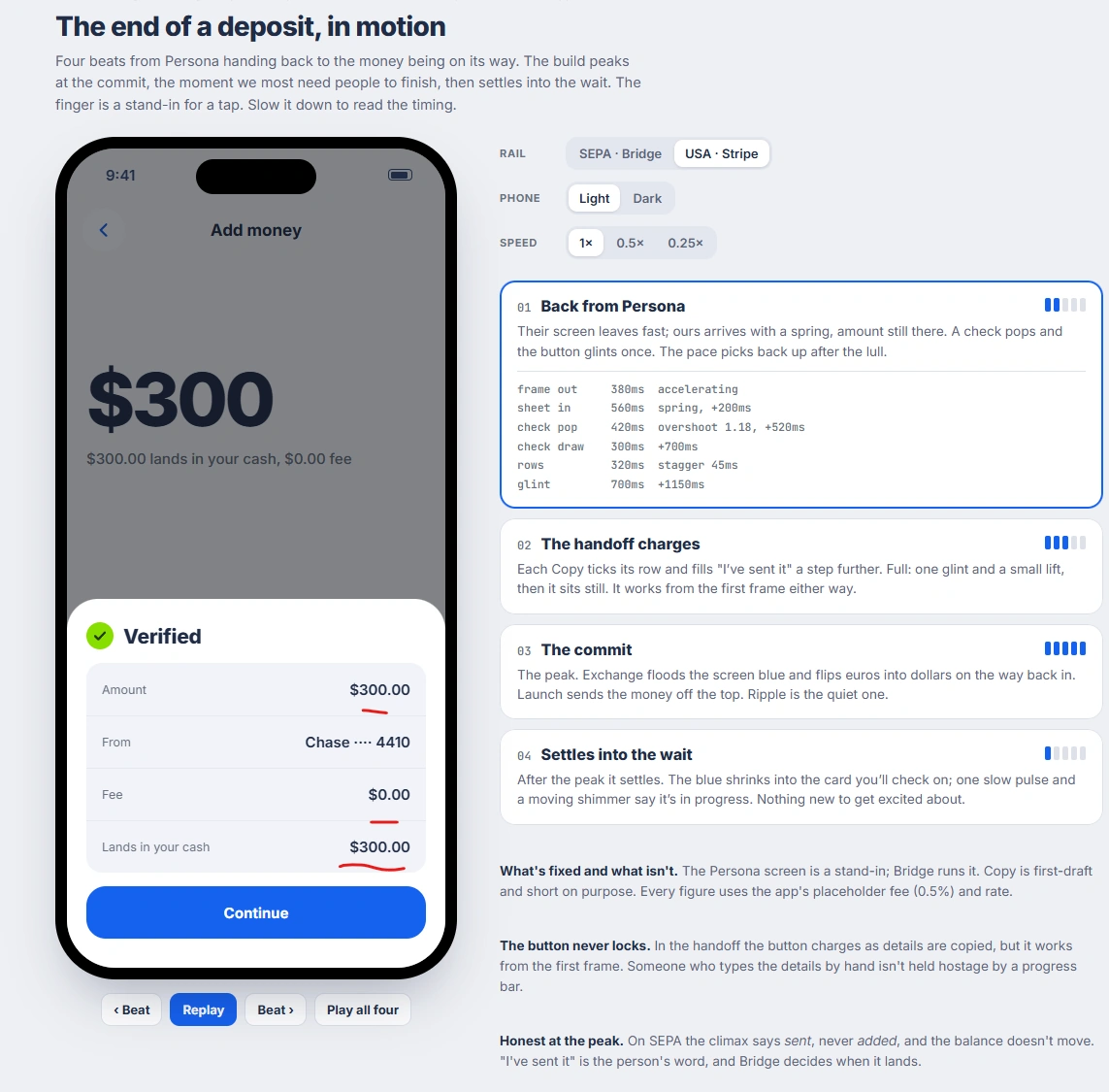
The end of a deposit, in motion
A motion spec for the last four beats of a deposit, with timing for every element. The build peaks at the commit, the moment people most need to finish, then settles into the wait. The button never locks, so someone typing details by hand is never held back by a progress bar.